WhichMaker

3D printers · Buying guide

Best 3D printer for beginners (2026)

The short answer

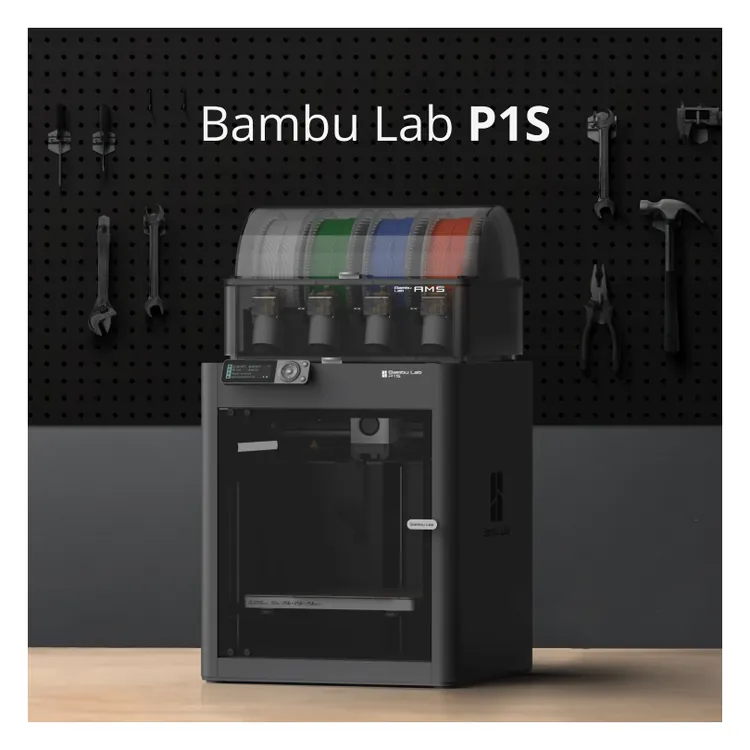
Bambu Lab P1S enclosed 3D printer with an AMS unit on top, in a workshop
P1S shown with the AMS on top. The AMS comes in the Combo or separately; it isn’t in the box with the plain P1S. Image: Bambu Lab.

Best for most beginners? Bambu Lab A1

Small desk, smaller prints? Bambu Lab A1 mini

Want an enclosure and ABS? Bambu Lab P1S

All three calibrate themselves, print PLA out of the box and can add multi-color later. The A1 gives you a 256 mm cube in an open frame and is the one most beginners should start with. The A1 mini is the smallest and quickest to set up, but it prints a 180 mm cube on an 80°C bed. The P1S has the same 256 mm cube inside an enclosure with a carbon filter, and it’s the one Bambu rates for ABS and ASA. [1] [5] [8]

As an Amazon Associate I earn from qualifying purchases. I may also earn a commission from Bambu Lab links. Links on this page are affiliate links; it costs you nothing extra.

The three picks

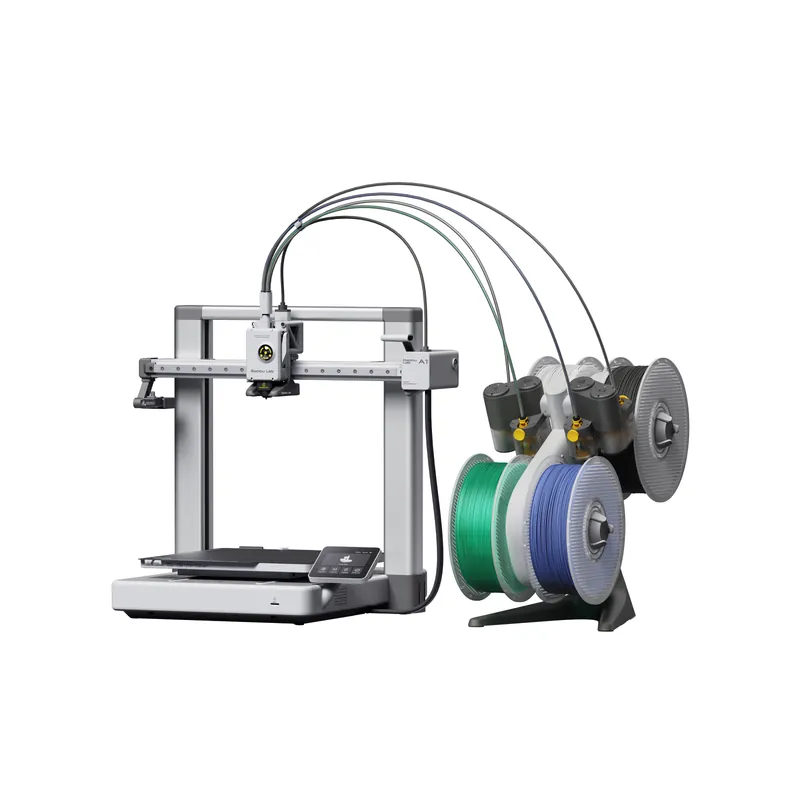
Bambu Lab A1 3D printer with the AMS lite and four filament spools
A1 shown with the AMS lite, which isn’t included with the plain A1. Image: Bambu Lab.

Best for most beginners

Bambu Lab A1

Full Bambu Lab A1 review

  • 256 x 256 x 256 mm build, 100°C bed. [2]
  • Calibrates Z-offset, bed level, vibration and nozzle pressure for every print. [1]
  • Built-in camera, 3.5 in touchscreen. [2]

Skip it if you’re short on desk depth (465 x 410 x 430 mm, and the bed moves front to back) or you want ABS. [2]

Check the A1 at Bambu
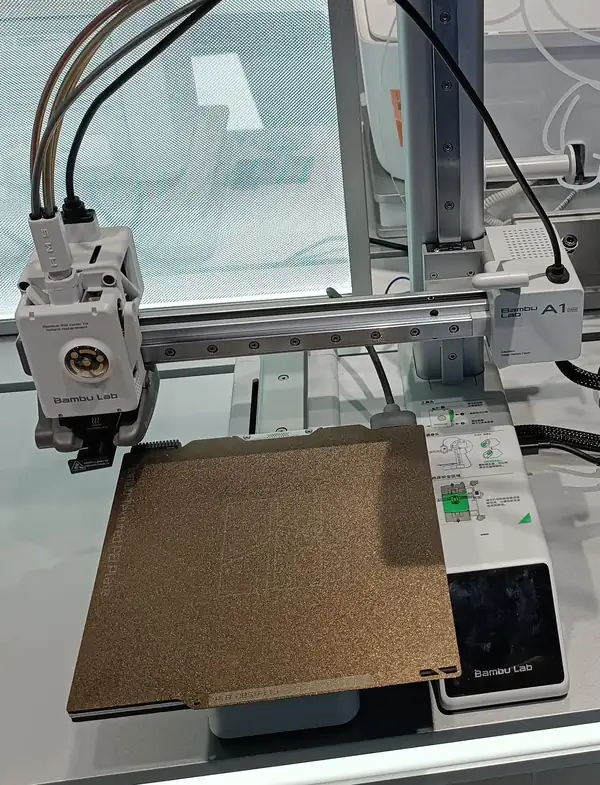
Bambu Lab A1 mini 3D printer on a store display, with filament tubes attached
Store display unit with AMS lite tubes attached (AMS lite not included in the plain A1 mini). Photo: NAS 238 WMMNO, via Wikimedia Commons, CC0 1.0. Cropped and resized.

Best for small desks

Bambu Lab A1 mini

Full Bambu Lab A1 mini review

  • 180 x 180 x 180 mm build in a 347 x 315 x 365 mm, 5.5 kg printer. [6]
  • Pre-assembled; Bambu says about 20 minutes to the first print. [5]
  • Same per-print auto calibration as the A1. [5]

Skip it if you’ll print anything wider than 180 mm, or want a bed hotter than 80°C. Leave about 390 mm of room in front and behind for the bed’s travel. [6] [7]

Check the A1 mini at Bambu
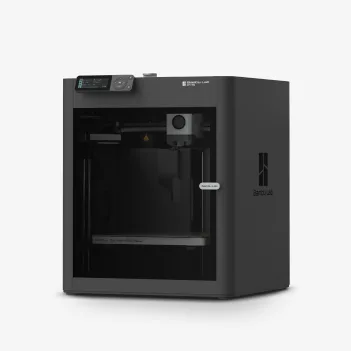
Bambu Lab P1S enclosed 3D printer, front view
Image: Bambu Lab.

Best for an enclosure and ABS

Bambu Lab P1S

Full Bambu Lab P1S review

  • 256 mm cube, enclosed, with an activated-carbon filter. [8]
  • Bambu lists PLA, PETG, TPU, PVA, PET, ABS and ASA as ideal. [8]
  • Up to 20,000 mm/s² acceleration; up to 4 AMS units (16 colors). [8] [10]

Skip it if you want a quiet-mode figure (Bambu doesn’t publish one) or the lightest printer: it’s 12.95 kg. [8]

Check the P1S at Bambu

Each button goes to the plain printer at Bambu Lab’s US store, where Bambu’s 2-year US warranty applies. Combos with the AMS or AMS lite are a separate choice on the same page. [11]

Side by side

A1A1 miniP1S
Frame [4] [7] [8]Open; bed moves front to backOpen; bed moves front to backEnclosed, with carbon filter
Build volume [2] [6] [8]256 x 256 x 256 mm180 x 180 x 180 mm256 x 256 x 256 mm (250 mm default height in Bambu Studio)
Speed / acceleration [2] [6] [8]500 mm/s / 10,000 mm/s²500 mm/s / 10,000 mm/s²500 mm/s / 20,000 mm/s²
Bed temp [2] [6] [8]100°C80°C100°C
Hotend [2] [8]All three: all-metal, 0.4 mm stainless nozzle, 300°C
Multi-color [1] [5] [10]AMS lite, optional (4 colors)AMS lite, optional (4 colors)AMS, optional; up to 4 units (16 colors)
Camera [2] [8]Up to 1080p, low frame rateUp to 1080p, low frame rate1280 x 720, 0.5 fps
Screen [2] [6] [9]3.5 in touchscreen2.4 in touchscreen2.7 in screen
Setup [3] [5] [8]Join frame and base; fit spool holder and wiperPre-assembled; about 20 minAbout 15 min
Silent-mode noise [4] [7]About 48 dBAbout 48 dBNot published
Size / weight [2] [6] [8]465 x 410 x 430 mm; 8.3 kg347 x 315 x 365 mm; 5.5 kg389 x 389 x 458 mm; 12.95 kg
US warranty [11]2 years for US consumers (see the note below)
Where the sources disagree
  • Noise: Bambu’s FAQs say about 48 dB for the A1 and A1 mini; its store pages say 49 dB. We treat this as rounding.
  • P1S height: 458 mm on the store page and FAQ, 457 mm on the unboxing table.
  • P1S PA and PC: “capable” on the current store page, “ideal” on the unboxing wiki. We use the store page. Fiber-filled filament needs a hardened extruder upgrade, per the store FAQ.
  • A1 sample filament: the store box list says 20 g, but Bambu’s wiki says filament swatches may no longer be in the latest A1-series packaging. Don’t count on a full spool.
  • Warranty: Bambu lists 2 years for US consumers; a transitional note says the 1-to-2-year extension applies to Bambu Store US and Canada purchases.

How to choose your first printer

  1. Measure your space and your parts. The 180 mm A1 mini fits a small desk; the A1 needs room for its bed to slide; the P1S is a 389 mm box. [6] [7] [8]
  2. Decide on materials. PLA and PETG work on all three. If you want ABS or ASA for heat-resistant parts, only the P1S is rated ideal for them; Bambu says not to enclose the A1 or A1 mini. [2] [8] [1]
  3. Start single-color. None of them needs the AMS to print, and you can add it later. [1] [5] [8]
  4. Think about noise and fumes. The A1 series lists about 48 dB in silent mode. The P1S encloses the print and filters the air, but Bambu doesn’t publish its noise and says the chamber isn’t actively heated. [4] [8] [10]

What’s in the box, and what isn’t

Included

A1: frame and base housing, power cable, spool holder, purge wiper, textured PEI plate, PTFE tube, sample filament, unclogging pin, tools and lubricants, scraper and a pre-installed 32 GB microSD. A1 mini: a similar compact kit with a textured PEI plate and 32 GB card. P1S: the printer, hotend with nozzle, build plate, a limited PLA spool (not in every Combo), unclogging pin and power cable. Bambu says contents may change. [3] [1] [7] [8]

Not included

The AMS or AMS lite, extra plates, extra nozzles and a full set of filament. Budget for at least one 1 kg spool of PLA. [1] [5] [8]

Skip all three if

You want carbon-fiber or glass-fiber filament

Bambu lists fiber-filled filament as not recommended on the A1 series, and the P1S needs a hardened extruder upgrade for it. [2] [8]

You need a heated chamber

The P1S is enclosed but not actively heated, and the A1 series is open. [10] [1]

Buyer questions

Do I need the AMS or AMS lite to start printing?

No. All three print in one color from the included spool holder. Multi-color needs the AMS lite (A1 and A1 mini) or the AMS (P1S), sold separately or in a Combo. [1] [5] [8]

Which is quietest?

Bambu’s FAQs list about 48 dB in silent mode for the A1 and A1 mini; its store pages say 49 dB. Bambu doesn’t publish a noise figure for the P1S. [4] [7] [1]

What filament should I buy first?

PLA. Bambu lists it as ideal on all three printers, along with PETG, TPU and PVA. Don’t start with ABS or ASA on the open-frame A1 or A1 mini; Bambu lists them as not recommended there. [2] [6] [8]

How long does setup take?

Bambu says the A1 mini takes about 20 minutes to the first print and markets a 15-minute setup for the P1S. The A1 ships as a frame and base housing that you join, then fit the spool holder and purge wiper. [5] [8] [3]

Do I need a microSD card?

The A1 and A1 mini need one to start a print, and Bambu pre-installs a 32 GB card. [4] [7]

What warranty do they get?

Bambu lists 2 years for US consumers on all three; its transitional note ties the 1-to-2-year extension to Bambu Store US and Canada purchases. Some parts have 3 months, and consumables aren’t covered. [11]

Sources

Where every figure comes from

By Mike E. · Updated November 12, 2026 · Based on Bambu Lab’s published specs and policies. Not tested hands-on.