Get the Bambu Lab A1 if:
- Your parts go past 180 mm.
- You want the 100°C bed.
- You have the desk space.
3D printers · Comparison
The short answer
Bigger prints? A1
Small desk, lighter printer? A1 mini
Same hot end (all-metal, 300°C), same 500 mm/s top speed and 28 mm³/s flow, same filaments, sensors, Wi-Fi and AMS lite multi-color support. The difference is size: the A1 prints up to 256 x 256 x 256 mm against the mini’s 180 mm cube, and its bed reaches 100°C against 80°C. The mini takes less desk space, weighs 5.5 kg against 8.3 kg and draws 150 W max against 350 W.
Best for bigger prints
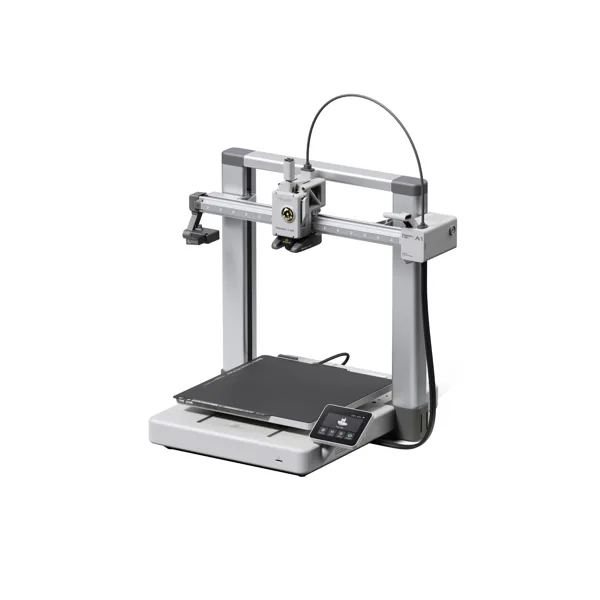
The Amazon listing (model PF002-A) is sold by Bambu Lab Store and ships from Amazon. The page also offers an A1 Combo + LED Kit variant; pick the plain A1 if you don’t want the bundle.
See the A1 on Amazon Check the A1 at BambuBest for small spaces
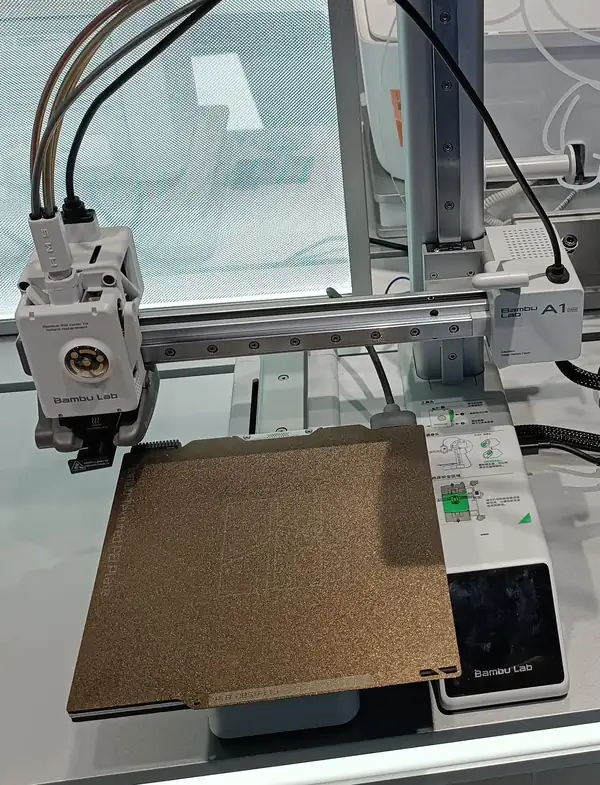
Amazon currently sells the A1 mini only in this bundle with an LED lamp kit.
A1 mini + LED lamp kit on Amazon Check the A1 mini at BambuBefore you buy: Amazon currently sells the A1 mini only as a bundle with an LED lamp kit. Multi-color printing needs the AMS lite, sold separately or in a Combo. Listings change, so check the model and what’s in the box before you order.
As an Amazon Associate I earn from qualifying purchases. I may also earn a commission from Bambu Lab links.
The A1 wins on build volume, bed temperature and screen. The mini wins on footprint, weight and power draw. Speed, hot end, sensors, filaments, software, silent-mode noise and warranty are the same.
A green check marks the clearly better spec for most people. No check means a tie, a gap that depends on how you work, or a spec marked Unknown. Figures come from Bambu Lab’s US tech-spec pages, US store page and wiki; Amazon-only facts are labeled.
| A1 | A1 mini | |
|---|---|---|
| Build volume | 256 x 256 x 256 mm | 180 x 180 x 180 mm |
| Frame | Steel + extruded aluminum | Steel + extruded aluminum |
| Hot end | All-metal, up to 300°C | All-metal, up to 300°C |
| Nozzle | 0.4 mm stainless (0.2/0.6/0.8 optional) | 0.4 mm stainless (0.2/0.6/0.8 optional) |
| Max bed temp | 100°C | 80°C |
| Build plates | Textured PEI, Cool, High Temp, Dual-Texture PEI | Textured PEI, Smooth PEI, Dual-Texture PEI |
| Speed / acceleration | 500 mm/s, 10,000 mm/s² | 500 mm/s, 10,000 mm/s² |
| Max flow | 28 mm³/s | 28 mm³/s |
| Best filaments | PLA, PETG, TPU, PVA | PLA, PETG, TPU, PVA |
| Multi-color | One AMS lite (4 colors); full AMS units need the AMS Hub | Same |
| Sensors | Camera, runout, odometry, tangle, power-loss recovery | Same |
| Screen | 3.5 in touch | 2.4 in touch |
| Connections | Wi-Fi, Bambu-Bus, microSD | Wi-Fi, Bambu-Bus, microSD (no built-in memory; 32 GB card included) |
| Power | 350 W max at 110 V; about 95 W average printing PLA | 150 W max; about 57 W average printing (FAQ) or 80 W for PLA (power page) |
| Footprint | 465 x 410 x 430 mm | 347 x 315 x 365 mm |
| Weight | 8.3 kg (18.3 lb) | 5.5 kg (12.1 lb) |
| Slicer | Bambu Studio (macOS, Windows); third-party slicers supported | Same |
| Noise (silent mode) | About 48 dB | About 48 dB |
| Warranty | 2 years (US) | 2 years (US) |
Common print jobs, judged only from Bambu Lab’s build volume, bed temperature and filament list.
| Job | A1 | A1 mini |
|---|---|---|
| Print size | ||
| Part up to 180 mm | Can do256 mm build volume. | Can do180 mm build volume. |
| Part up to 250 mm | Can do256 mm build volume. | Can’t180 mm max. |
| Filaments | ||
| PLA, PETG or TPU | Can doListed as ideal. | Can doListed as ideal. |
| ABS or ASA | Can’tNot recommended by Bambu Lab. | Can’tNot recommended by Bambu Lab. |
| Extras | ||
| Multi-color prints | Just barelyNeeds the AMS lite (Combo or sold separately). | Just barelyNeeds the AMS lite (Combo or sold separately). |
| Print over Wi-Fi | Can doWi-Fi. | Can doWi-Fi. |
Print size is the maker’s build volume; leave a little margin for brims and supports.
Sources: bambulab.com US tech-spec pages for the A1 and A1 mini; Bambu Lab’s US store A1 mini page; the Bambu wiki A1 FAQ, A1 mini FAQ and power-consumption page; Bambu Lab’s US warranty policy (updated September 22, 2026). Checked November 11, 2026.
Amazon currently sells the A1 mini only in this bundle with an LED lamp kit.
A1 mini + LED lamp kit on Amazon Check the A1 mini at BambuAs an Amazon Associate I earn from qualifying purchases. I may also earn a commission from Bambu Lab links.
Skip it if your prints fit in a 180 mm cube and desk space matters; the mini matches its speed and sensors.
Skip it if you’ll ever print parts over 180 mm on any side.
No. Bambu Lab lists the same 500 mm/s top speed, 10,000 mm/s² acceleration and 28 mm³/s flow for both.
Yes, with one AMS lite (4 colors), which comes in a Combo or is sold separately. Full-size AMS units need Bambu Lab’s AMS Hub.
Bambu Lab lists ABS, ASA, PC, PA, PET and carbon- or glass-fiber filaments as not recommended for both.
Bambu Studio on macOS and Windows; Bambu Lab says third-party G-code slicers are supported.
About 48 dB in silent mode for both, per Bambu Lab’s A1 and A1 mini FAQs. The A1 mini store page says 49 dB.
Yes. Bambu Lab’s A1 FAQ says the hotend assemblies and the toolhead module (extruder, cutter and AMS lite hub) are interchangeable between the A1 and A1 mini.
Bambu Lab’s A1 mini FAQ says it doesn’t recommend enclosing the A1 mini. Both are open-frame printers meant for a 10 to 30°C room under 85% humidity.
Bambu Lab lists about 95 W on average for the A1 printing PLA, and 5 W idle at 220 V. For the A1 mini, its FAQ says about 57 W on average and 6 W idle, while its power-consumption page lists 80 W for PLA. Both draw more while heating.
2 years for US consumers under Bambu Lab’s warranty policy (updated September 22, 2026). Some parts have a 3-month term, and consumables have no warranty term. Units bought from the Bambu Store US/CA that were still in their original 1-year window on August 14, 2026 were extended to 2 years. The same policy covers both printers.