Step down
Cricut Joy 2: 4.5 in wide, 2.7 lb, and it scores.
Cutting machines · Single-product guide
Quick verdict
The Joy Xtra is a small, 6 lb cutter for stickers, labels and decals up to 8.5 in wide. It handles Print Then Cut on Letter and A4. It doesn’t score, cut fabric or foam, and there’s no mat in the box, so budget for one.
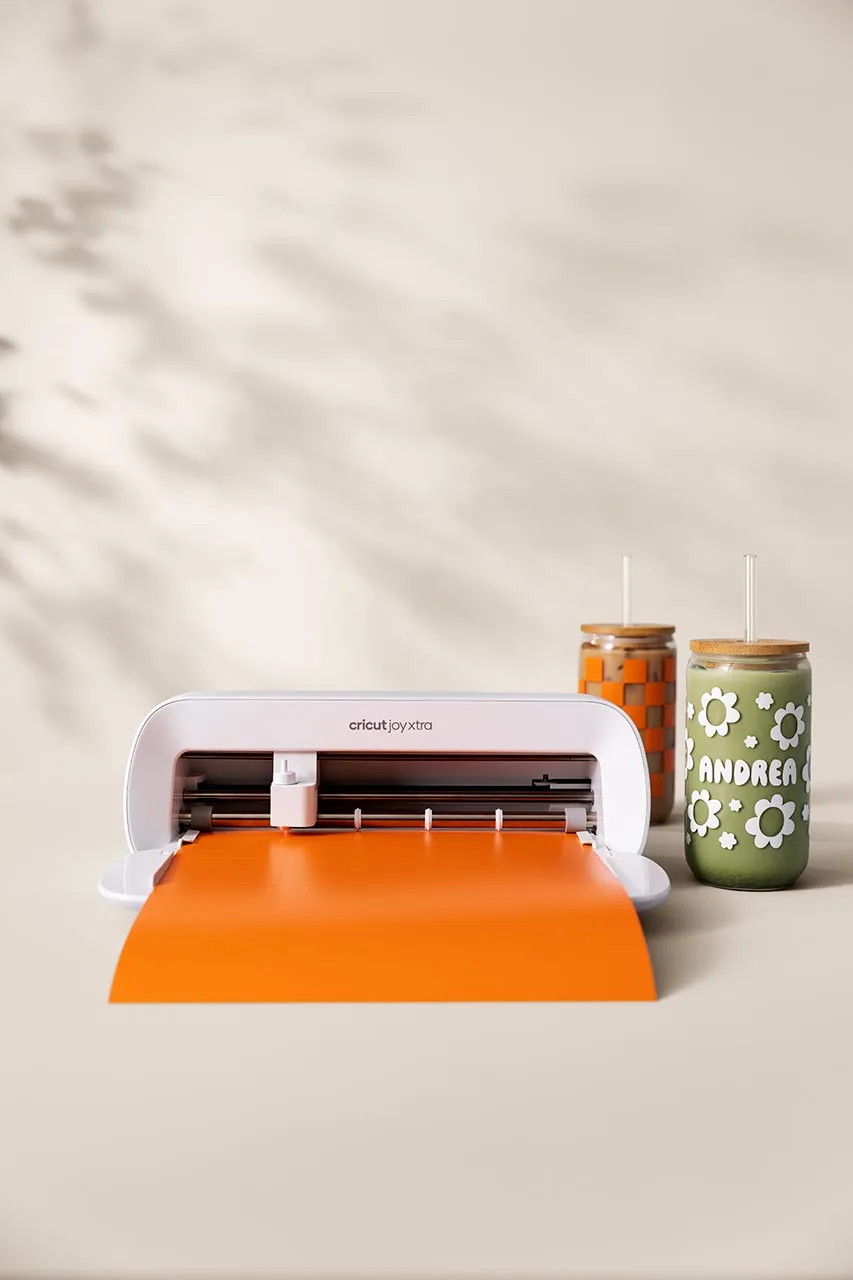
Best for small spaces and Letter-size stickers
Cricut lists a Premium Fine-Point Blade and housing, a fine point pen and a mini weeder. No mat. Pick Machine Only on the Amazon listing if you don’t want a bundle.
Think twice if
Before you buy: No mat comes in the box. Smart Materials must be the 9.5 in wide Joy Xtra versions, and 13 in rolls for Maker and Explore won’t work. It uses Cricut Joy blades and mats; Explore and Maker blades don’t fit.
As an Amazon Associate I earn from qualifying purchases. Links on this page are affiliate links; it costs you nothing extra.
How many copies fit on the Joy Xtra mat area or a matless run. Our layout math.
| Area | Design | About how many fit |
|---|---|---|
| Mat 8.2 x 11.7 | 2 x 2 in | 15 |
| Mat 8.2 x 11.7 | 3 x 3 in | 6 |
| Matless 8.5 x 48 | 2 x 2 in | 63 |
| Matless 8.5 x 48 | 3 x 3 in | 28 |
Better fit: Cricut Explore 5 for 11.7 in wide and scoring; Cricut Joy 2 if even smaller is fine.
We read 40 critical (1 to 3 star) Amazon reviews of the current model on listing B0DCWDJ2GX, the one this page links, and dropped 1 that was about a different machine, leaving 39. We counted how many raised each problem. Critical reviews skew negative by design, so read these as what to check, not as failure rates.
12 of 39 critical Amazon reviews we read (Amazon, checked Oct 22, 2026)
The most common complaint: the machine wouldn’t pair or stay connected. One owner said it “won’t stay connected to the Bluetooth on my computer”.
Fix: Connect inside Design Space, not your device’s Bluetooth settings. Keep the device close, close other Bluetooth apps and restart both.
Avoid or spot it: Do a full test cut on your own phone or laptop in the first week, while returns are open.
11 of 39 critical Amazon reviews we read (Amazon, checked Oct 22, 2026)
Owners were frustrated by the required Design Space app and its paid tier.
Fix: Install Design Space and sign in on your device before the machine arrives, and check which features you need are free.
Avoid or spot it: If you want to cut offline or without an account, this isn’t the machine for you.
5 of 39 critical Amazon reviews we read (Amazon, checked Oct 22, 2026)
Some expected a mat, tools or instructions that weren’t in the box.
Fix: Check the listing’s “What’s in the box” against what arrived on day one.
Avoid or spot it: Cricut lists no mat in the box, so budget for one; see What else you’ll need.
3 of 39 critical Amazon reviews we read (Amazon, checked Oct 22, 2026)
A few machines didn’t work out of the box. One owner said Cricut confirmed a defect but the return was still refused.
Fix: Unbox and test right away, and keep the packaging until it passes.
Avoid or spot it: Report a fault inside the return window and keep your proof of purchase for a Cricut claim.
2 of 39 critical Amazon reviews we read (Amazon, checked Oct 22, 2026)
Cuts landed off the line, and one owner reported errors reading Print Then Cut marks.
Fix: Run calibration in Design Space, load the mat square against the guides, and print marks in good light.
Avoid or spot it: Do a small test cut before a big run.
Individual owner posts, not a count (X, checked Oct 29, 2026)
One owner says it connects but they can’t Print Then Cut at all (@FoggysForrest, Apr 12, 2026). Another says the Android app won’t go past the material select page, though setup and the test cut worked (@ChrisSm16821585, Jun 8, 2026). A sticker seller says it “did not like die cutting” thick laminate, while Cricut printable vinyl cut “in one go” (@LorepawYT, May 26, 2026).
Fix: For Print Then Cut, Cricut’s sensor-mark help article covers marks the machine can’t read. On Android, stay online while you use Design Space.
Avoid or spot it: Test Print Then Cut and your thickest material in the return window.
From the maker’s own help pages, in our words.
Fit notes come from the maker’s help pages and the listing titles we checked on Amazon on Oct 21, 2026. Rating counts are Amazon’s, shown for context only.
Official Cricut · ships from and sold by Amazon.com
Official Cricut · ships from and sold by Amazon.com
Wrong size
As an Amazon Associate I earn from qualifying purchases. Links on this page are affiliate links; it costs you nothing extra.
Cricut Joy 2: 4.5 in wide, 2.7 lb, and it scores.
Cricut Explore 5: 11.7 in wide and 12 ft matless.
Side-by-side specs are on the comparison pages below.
Full specs side by side: Joy Xtra vs Joy 2
All cutting machines matchups: Cutting machines comparisons
Cricut doesn’t list one in the box.
No. Cricut lists no scoring for the Joy Xtra.
8.2 x 11.7 in on a mat, or 8.5 in x 4 ft matless on Smart Materials.
Smart Vinyl, Smart Iron-On, Smart Label Paper and Smart Label Vinyl in the 9.5 in Joy Xtra width. It cuts 8.5 in wide, up to 48 in for one image or 20 ft repeated, with a 6 in minimum length.
Cricut doesn’t state a maximum thickness for the Joy Xtra.
On Android, yes: Cricut’s Quick Start Guide says Design Space on Android needs an internet connection.
No. Cricut says it connects by Bluetooth only.
Amazon facts (seller, rating counts, 1-star share) are labeled as Amazon and were read on the listing on Oct 21, 2026 unless noted. Owner-problem tallies count readable threads from one targeted search per product; Reddit pages were read through search excerpts because direct fetch was blocked.